



PDF to DWG conversion has become more efficient with the release of ABViewer 16.3 by CADSoftTools, offering improved features for users.
What is ABViewer 16.3?
ABViewer 16.3 is a powerful software tool developed by CADSoftTools, specifically designed to facilitate the conversion of various file formats, including the essential PDF to DWG conversion. This latest version brings enhanced features that streamline the workflow for professionals in the engineering and design sectors.
With ABViewer 16.3, users can expect:
- Improved Conversion Accuracy: The software employs advanced algorithms to ensure high fidelity during the PDF to DWG conversion process, preserving the integrity of design details.
- User-Friendly Interface: The intuitive layout allows users to navigate through features effortlessly, making the conversion process quick and straightforward.
- Batch Processing: Users can convert multiple files simultaneously, saving time and enhancing productivity.
- Support for Various Formats: In addition to DWG, ABViewer 16.3 supports DXF and other popular CAD formats, offering flexibility for different project requirements.
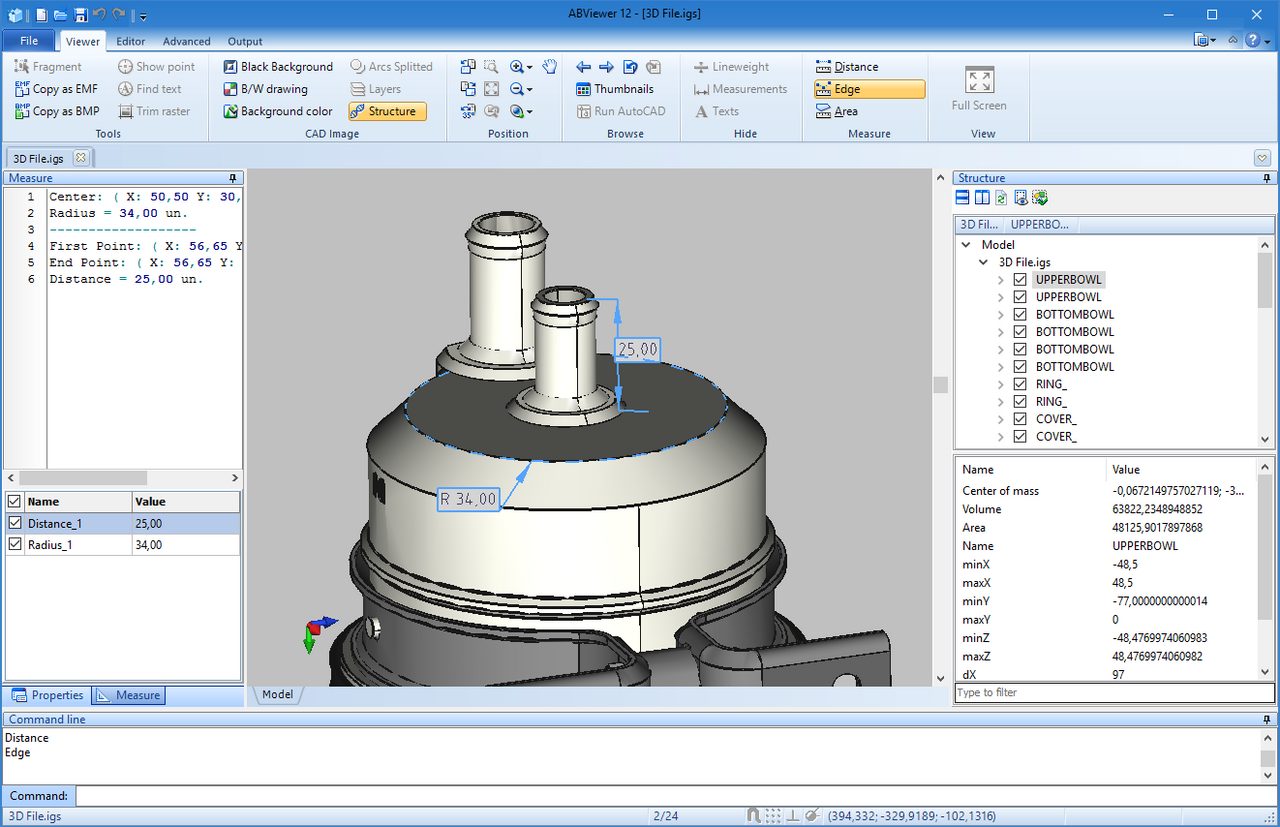
- Measurement Tools: The software includes precise measurement tools, allowing users to verify dimensions post-conversion, which is crucial for maintaining accuracy in design.
Overall, ABViewer 16.3 stands out as a reliable solution for those seeking efficient PDF to DWG conversion, combining functionality with ease of use.
Key Features of ABViewer 16.3
ABViewer 16.3 offers a range of key features that enhance the process of PDF to DWG conversion, making it a valuable tool for professionals in the CAD industry. Here are some of the standout functionalities:
- Multi-format Support: ABViewer 16.3 allows users to work with various file formats, including PDF, DWG, and DXF, streamlining the conversion process.
- User-friendly Interface: The software features an intuitive interface that simplifies the workflow, enabling users to quickly navigate through options and tools.
- Batch Conversion: Users can convert multiple PDF files to DWG or DXF formats in one go, saving time and increasing efficiency.
- Advanced Editing Tools: ABViewer includes powerful editing features that let users modify drawings after conversion, offering flexibility in design adjustments.
- Markup Capabilities: The software provides markup tools allowing users to annotate and highlight changes directly on the converted files, enhancing collaboration.
- High-quality Output: The conversion process ensures that the integrity of the original designs is maintained, resulting in accurate and high-quality DWG files.
These features make ABViewer 16.3 a top choice for anyone looking to streamline their PDF to DWG conversion tasks.
How to Use PDF to DWG Conversion
Using PDF to DWG conversion tools like ABViewer 16.3 is a straightforward process that can significantly enhance your workflow. Follow these simple steps to convert your files efficiently:
- Install ABViewer 16.3: Start by downloading and installing the latest version of ABViewer from the official website. Ensure your system meets the necessary requirements for smooth operation.
- Open the PDF File: Launch ABViewer and use the ‘Open’ function to select the PDF file you wish to convert. The software supports various PDF formats, so you can easily work with your documents.
- Initiate Conversion: Once the PDF is loaded, navigate to the ‘Convert’ menu and select the ‘PDF to DWG’ option. You will be prompted to choose the output settings, including the desired DWG version.
- Adjust Settings: ABViewer allows you to customize the conversion settings according to your needs. You can define the scale, layers, and even the objects you wish to include in the output.
- Complete the Process: After adjusting the settings, click ‘Convert’ to start the PDF to DWG conversion. The software will process your file, and you will receive a notification once it’s completed.
This seamless process makes ABViewer 16.3 an ideal choice for anyone needing efficient file transfer from PDF to DWG format.
Benefits of Using ABViewer
ABViewer 16.3 offers numerous benefits for users looking to streamline their PDF to DWG conversion process. This powerful software not only facilitates smooth file transfers but also enhances productivity and efficiency in various design projects.
One of the key advantages of using ABViewer is its user-friendly interface, which simplifies the conversion process. Users can easily navigate through the software, making it accessible for both beginners and experienced professionals. The intuitive design reduces the learning curve and allows for quick file manipulation.
Additionally, ABViewer supports batch processing, enabling users to convert multiple PDF files to DWG format simultaneously. This feature significantly saves time, especially for larger projects that involve numerous files.
The software also ensures high-quality output, preserving the integrity of the original designs during the PDF to DWG conversion. Users can trust that their converted files will maintain accurate dimensions and details, which is crucial for any CAD-related work.
Moreover, ABViewer is equipped with advanced editing tools that allow users to further refine their converted DWG files. This capability empowers designers to enhance their workflows and achieve superior results with ease.
Overall, ABViewer 16.3 is a robust tool that effectively meets the needs of professionals seeking efficient PDF to DWG conversions.
User Reviews and Feedback
User feedback is essential in determining the effectiveness of any software, especially for complex tasks like PDF to DWG conversion. ABViewer 16.3 has received a variety of reviews from users across different platforms, highlighting its strengths and areas for improvement.
Many users have praised the software for its user-friendly interface, making the conversion process straightforward even for those who are less tech-savvy. One user commented, “The PDF to DWG conversion was seamless, and I was able to transfer my files without any loss in quality.” This sentiment is echoed by others who appreciate the software’s ability to retain the original layout and details of their designs.
However, some users have pointed out occasional issues with complex files. A reviewer noted, “While the majority of my files converted perfectly, I did encounter some problems with intricate designs, which required manual adjustments afterward.” Such feedback highlights the importance of testing the software on various file types before committing fully.
Overall, user reviews suggest that ABViewer 16.3 stands out as a reliable tool for PDF to DWG conversion, especially for professionals looking to enhance their workflow.
Comparing ABViewer with Competitors
When it comes to PDF to DWG conversion, ABViewer 16.3 stands out among its competitors by offering a unique blend of features tailored for both professionals and casual users. While several tools in the market aim to provide similar functionality, ABViewer distinguishes itself through its user-friendly interface and advanced capabilities.
Key competitors in the PDF to DWG conversion space include:
- AutoCAD: A widely recognized tool, AutoCAD offers robust conversion features but comes with a steeper learning curve and higher price point.
- SolidWorks: Known for its powerful 3D capabilities, SolidWorks can handle DWG files well, but it is not specifically designed for PDF to DWG conversion.
- Any PDF to DWG Converter: This tool emphasizes simplicity and speed, yet it may lack the depth of features found in ABViewer.
- PDF2DWG: While it provides efficient conversion, users often report challenges with complex files, making ABViewer a more reliable choice.
Ultimately, the choice between these tools will depend on specific user needs, but ABViewer 16.3 consistently delivers high-quality results with its PDF to DWG conversion process.
Future Updates and Expectations
As the demand for efficient PDF to DWG conversion tools continues to grow, users can expect to see regular updates and enhancements in software like ABViewer. CADSoftTools is committed to improving user experience and functionality, and future releases are likely to focus on integrating advanced features that streamline the conversion process.
Users can anticipate the following updates:
- Enhanced Accuracy: Future versions are expected to improve the precision of file conversions, ensuring that intricate details and layouts are preserved.
- Faster Processing Times: With advancements in technology, quicker processing times for large PDF files will be a priority, allowing for efficient project workflows.
- Expanded Format Support: Additional support for various CAD file formats may be introduced, giving users more flexibility in their projects.
- Improved User Interface: A more intuitive interface will likely be developed to enhance usability, making the conversion process even simpler.
As CADSoftTools continues to innovate, users can look forward to a future where PDF to DWG conversion becomes seamless and more accessible for professionals across industries.
via Wikimedia Commons